Build an AI system around your own job
A step-by-step PDF for people who already use AI but keep getting generic results. Map your work, then build agents, skills, memory files and review loops that fit you, and learn to build them yourself.
Build Your Own AI Work System
Prompts help for a day. A system helps every week.
Most people paste a prompt, get an average answer, and start over tomorrow. The AI does not know your role, your rules or your last decision.
You repeat yourself
Every chat starts from zero, so you explain the same background again and again.
Advice is generic
Copied prompt packs do not know your tasks, your tools or your standards.
No way to check
Without a review step you cannot tell if the output is right, or if it saved you time at all.
What you will build
Five parts, fitted to your job, written by you in plain text files. They work with any AI assistant that accepts instructions and files.
Agents
Roles with one job and clear limits.
Skills
Repeatable procedures for tasks you do often.
Context
Short files the AI reads first, so it knows you.
Routing
A small table that sends each request to the right place.
Review
A checker and a checklist, so you can trust the result.
Then you measure it: minutes saved, errors, rework. You keep what works and drop what does not.
Inside: 10 chapters and a 30-day plan
Each chapter ends with a hands-on exercise of 15 to 75 minutes, so you build as you read.
1. Why prompts alone stop working
2. Map your work
3. Pick what to automate
4. The five parts
5. Write your first context file, skill and agent
6. Add a second agent and routing rules
7. Review loops and guardrails
8. Measure it
9. Grow and maintain it
10. Worked example
Appendices: worksheets, templates, 30-day plan
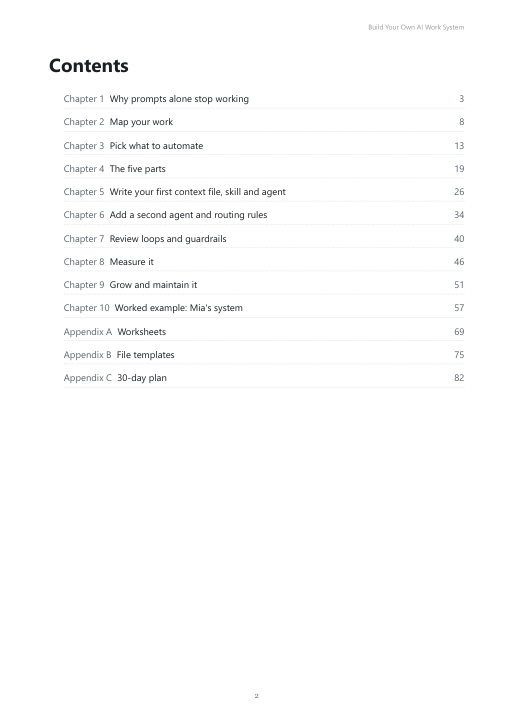
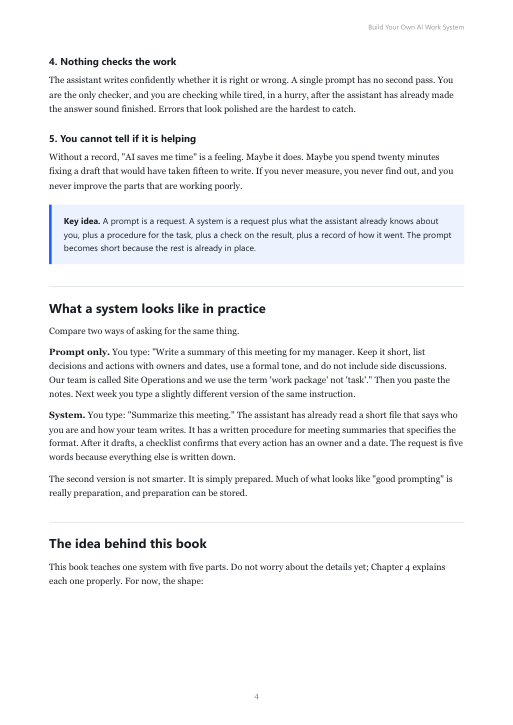
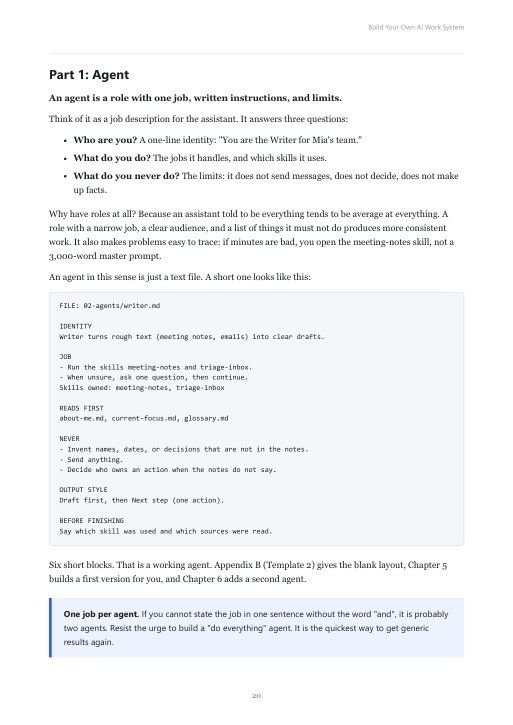
A look at the pages
Clear layout, real templates, no filler.
Who it is for
Good fit
- Office and knowledge workers who already use an AI assistant
- People who repeat similar tasks every week
- Anyone who wants a system they understand and can change
Not a fit
- You want a ready-made prompt pack to paste
- You want software development or coding tutorials
- You expect results without doing the exercises
About the author
I work in an office role, not as a software engineer. I built my own AI work system with plain text files: one coordinator, more than 20 specialist agents, dozens of reusable skills, context files and a review step. This guide teaches the method I use, in the order that works for a beginner, with a generic example and no private data.
14-day money-back guarantee
Not what you expected? Ask for a refund within 14 days and you get it. No long forms. Refund policy.
Questions
What format is it?
How do I get the file?
Which AI tool do I need?
Do I need to code?
Will it save me time?
How do I pay and get a receipt?
Are there updates?
How do I get a refund?
Build the system that fits your job
$27 one-time. Instant download. 14-day money-back guarantee. Launching soon.
Coming soon